
.svg?fit=max&auto=format&n=fnPhXvYfm-TNmZho&q=85&s=dc407af2e287b4714cedea5b8d7abf4d)
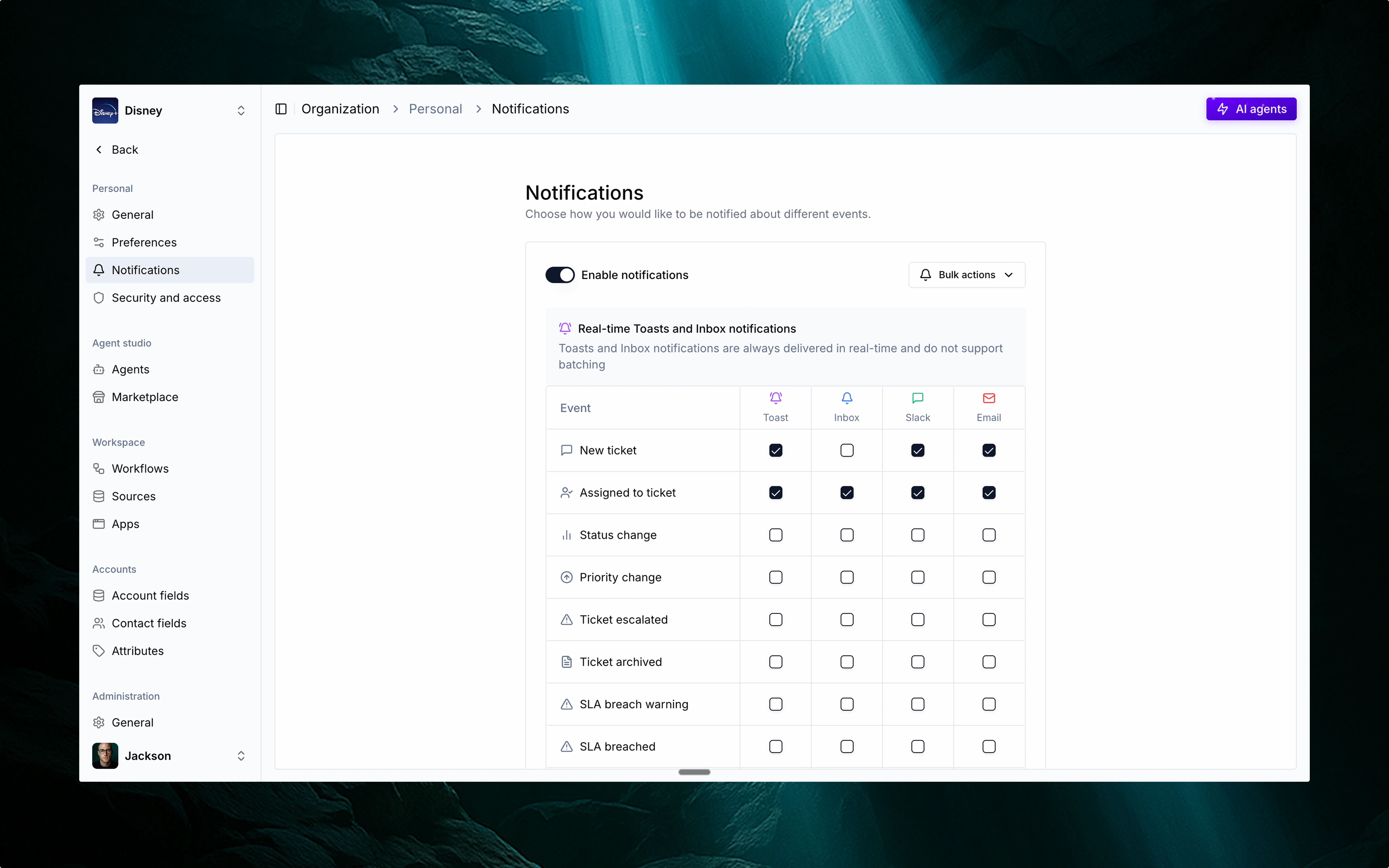
💬 Multi-channel delivery
Choose how and where you want to stay informed. Thena supports:Slack
Ideal for real-time updates while working with your team.
Great for catching up asynchronously or staying informed when you’re not in Slack.
Inbox
A personal notification center right inside Thena.
Toasts
Lightweight in-app popups that keep you informed without breaking your flow.
⚙️ Configurable by event and channel
You can customize:- Which events trigger notifications.
- Where they’re delivered – toggle each event’s delivery channel individually.
- Get ticket assignment alerts in Slack while collaborating.
- Review SLA warnings via Inbox after being away.
- Use email summaries if you’re not always in Slack.
- Opt into Toasts for subtle, real-time nudges inside Thena.
📋 Supported notification events
Here’s a list of every event that can trigger notifications in Thena:Ticket lifecycle
New ticket
A new ticket has been created in the system.
Assigned to ticket
You (or someone) have been assigned to a ticket.
Status change
A ticket’s status has changed (e.g., Open → In Progress).
Priority change
A ticket’s priority has been updated.
Ticket escalated
A ticket has been escalated for faster resolution.
Ticket archived
A ticket has been archived and is no longer active.
SLA & CSAT
SLA breach warning
The ticket is approaching its SLA deadline.
SLA breached
The SLA for the ticket has been missed.
CSAT received
A customer satisfaction (CSAT) rating was submitted.
CSAT updated
A previously submitted CSAT rating was updated.
Communication
Customer thread reply
A customer has replied in a ticket thread.
Customer thread mention
A customer mentioned you in a thread.
Internal thread reply
A teammate has replied in an internal note.
Internal thread mention
A teammate mentioned you in an internal thread.
Note reply
A comment was made on a note you’ve interacted with.
Note mention
You were mentioned in a note comment.
Metadata
Custom field updated
A custom field on a ticket has been modified.
Tag updated
A tag was added, removed, or changed on a ticket.